The photo viewer
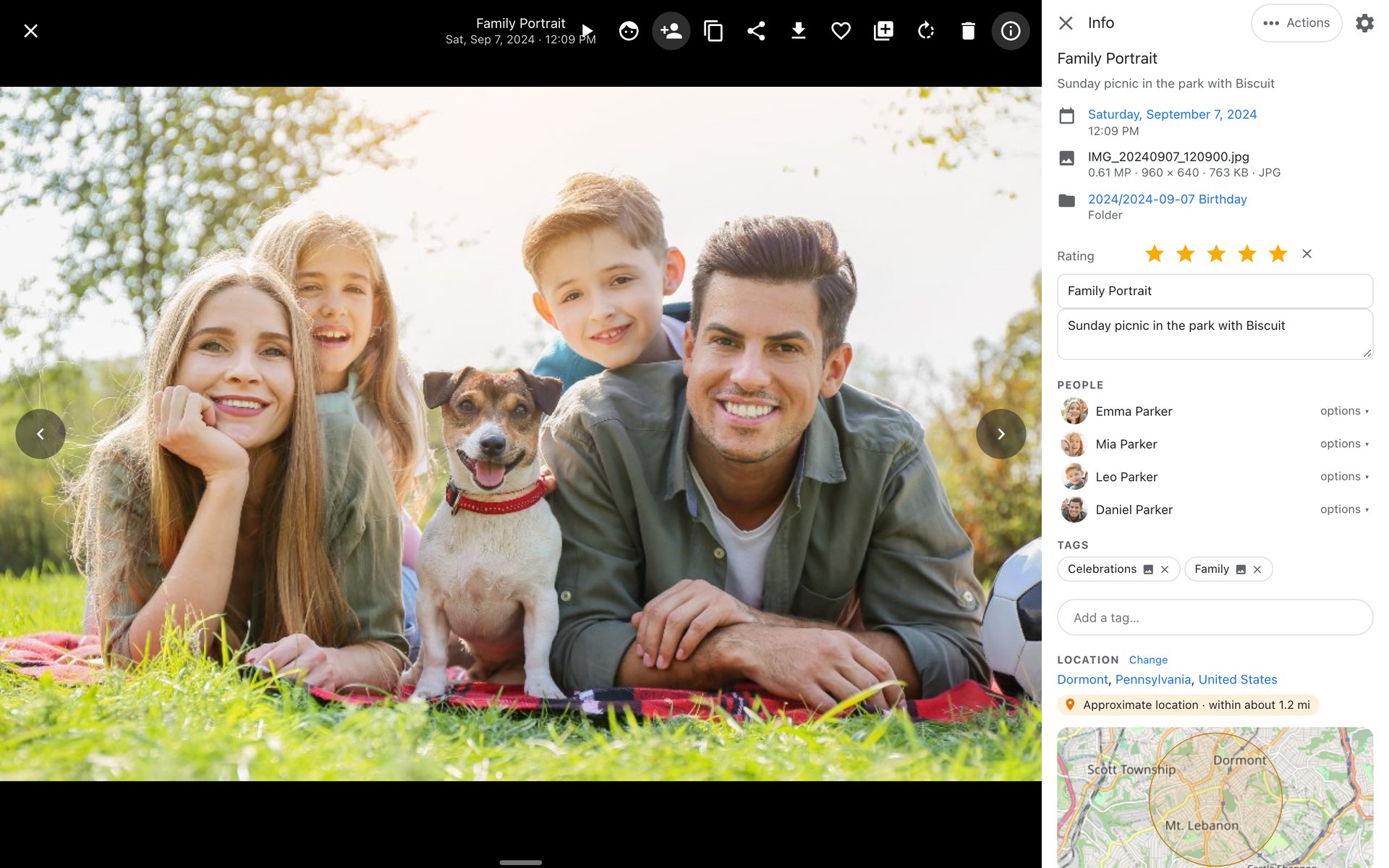
Click any photo to open it full screen.
Moving around
- Swipe on a phone, or use the arrow keys.
- Zoom and pan with the wheel, a pinch or a double-click. Zoomed in far enough, iopix switches to the original file for full detail.
- A film strip of the neighbouring photos runs along the very bottom edge.
- Slideshow plays the current list.
- Videos play inline.
The info panel
Press I or the info button. It shows everything known about the photo, and almost every value is a link to other photos with the same value:
- your own title and caption,
- date, file, people, tags and place,
- camera, lens and exposure in small type,
- AI analysis at the end: description, detected content, objects, text found in the picture, sharpness and similar photos.
The gear at the top of the panel (or Settings › Display › Info panel) chooses which sections show. The choice is saved with your account.
Actions holds everything you can do with the photo: download, share, add to an album, rotate, crop, adjust, move, rename, use as a folder cover, and more.
Faces and objects
Press F to show face boxes with names, and O to show the boxes of detected objects. With editor rights, face boxes can be named, confirmed, adjusted or removed right there. See Naming faces.
Sharing and downloading
Share opens the device's own share sheet with the picture attached where the browser supports it, or a menu of links otherwise. Download saves the original.
Keys
| Key | Does |
|---|---|
| Left Right | previous, next |
| 0 to 5 | set the rating |
| L | favorite |
| I | info panel |
| T | tag |
| P | name the next unnamed face, or draw one |
| F / O | faces / objects |
| [ ] | rotate left / right |
| Del | move to the trash |
| Esc | close |
All keys are on the Keyboard shortcuts page.