Folders, albums and tags
iopix shows three kinds of collections. They are easy to mix up, so here is the difference.
| What it is | Where it lives | |
|---|---|---|
| Folders | digiKam's albums: the real folders on disk | your photo folders |
| Albums | groupings you make in iopix, and smart albums from saved searches | iopix's own database only |
| Tags | digiKam's keyword tags, as a tree | digiKam's database and the sidecars |
Folders
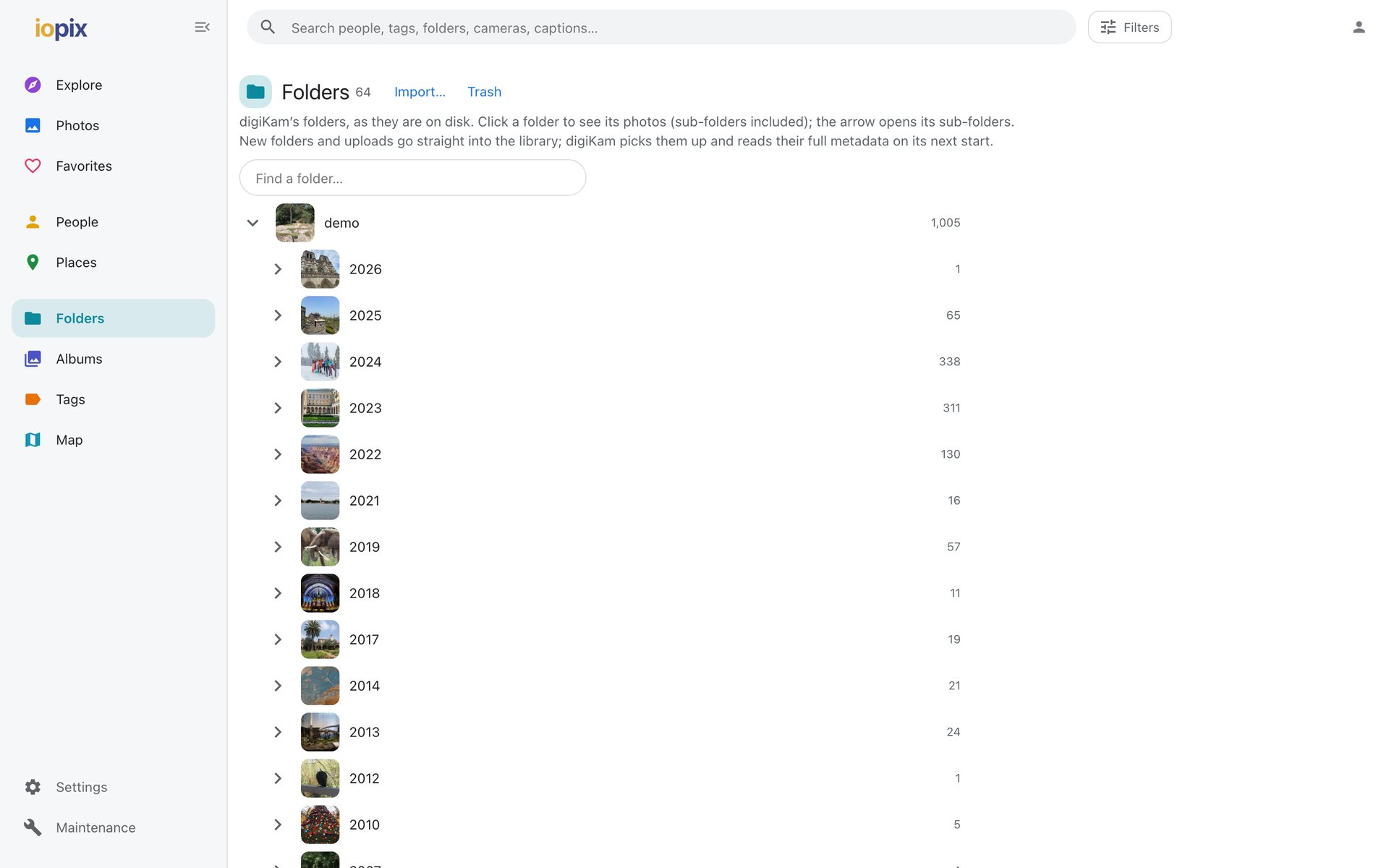
The folder tree as it is on disk. Each folder can have a caption, a date, a category and a cover photo, stored in digiKam's own album record so digiKam shows the same. Editors can create, rename and move folders, and import photos into them.
Albums
Your own groupings, which never move or copy a file.
- Shared albums are seen by everyone who can browse. Editors and admins create and fill them.
- Private albums are seen only by the account that made it. Any signed-in account can make one.
- An editor or admin can share a private album, or make a shared one private.
- Smart albums are saved searches that update themselves.
Tags
The full tag tree, with a picture for each tag. Click a tag to see its photos. Editors can manage tags with the Tag manager.
Favorites
Press L in the viewer, or the heart on a selection. Favorites are kept in iopix per account, never in digiKam.