People and faces
People lists everyone named in your library, from digiKam's face regions, each with a face crop as their picture.
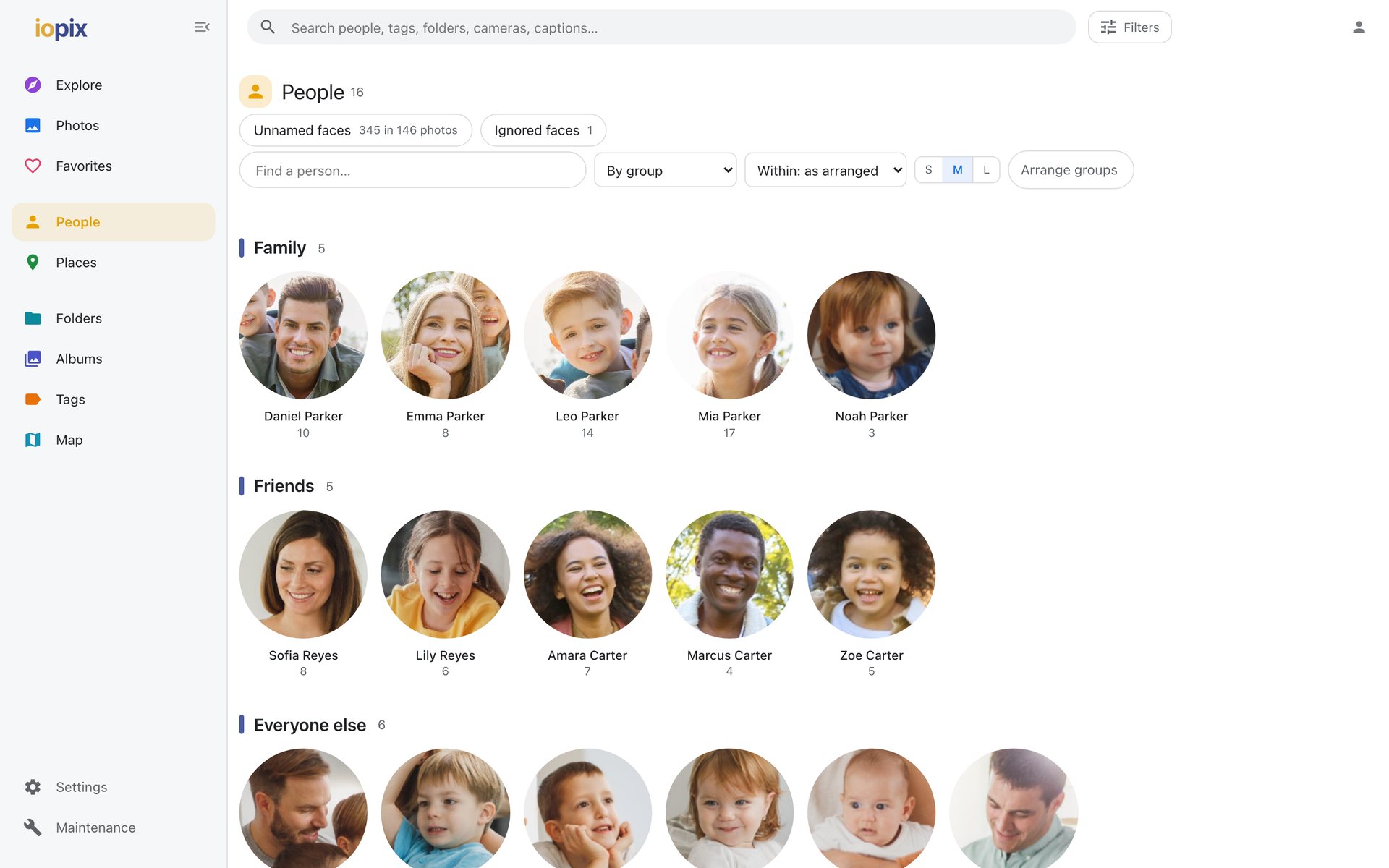
Sorting and groups
Sort people by group, by family name, by name or by most photos. Groups (family, friends, a team) let you keep the list tidy; editors can arrange them.
A person's page shows all their photos, and Then and now for that person.
Faces still to name
People › Faces lists faces nobody has named yet:
- Unnamed faces that digiKam or iopix found,
- Suggestions, where a name was proposed but not confirmed,
- Ignored faces.
With the face-grouping model installed, unnamed faces are shown in look-alike groups, each with a "looks like" guess. Name a whole group in one go, or ignore it. A guess is never written anywhere until you accept it.
See Naming faces for the editing side.
Finding faces nothing has marked
The face-detection model can look for faces in photos where none is marked yet: one photo (info panel › People › detect faces), one folder, or the whole library. Faces it finds are added as unnamed faces, the way digiKam adds them. A face that overlaps an existing one is never added twice.
Accounts and people
An admin can link each account to a person. That person's face then becomes the account's picture on the sign-in screen and in the menu.